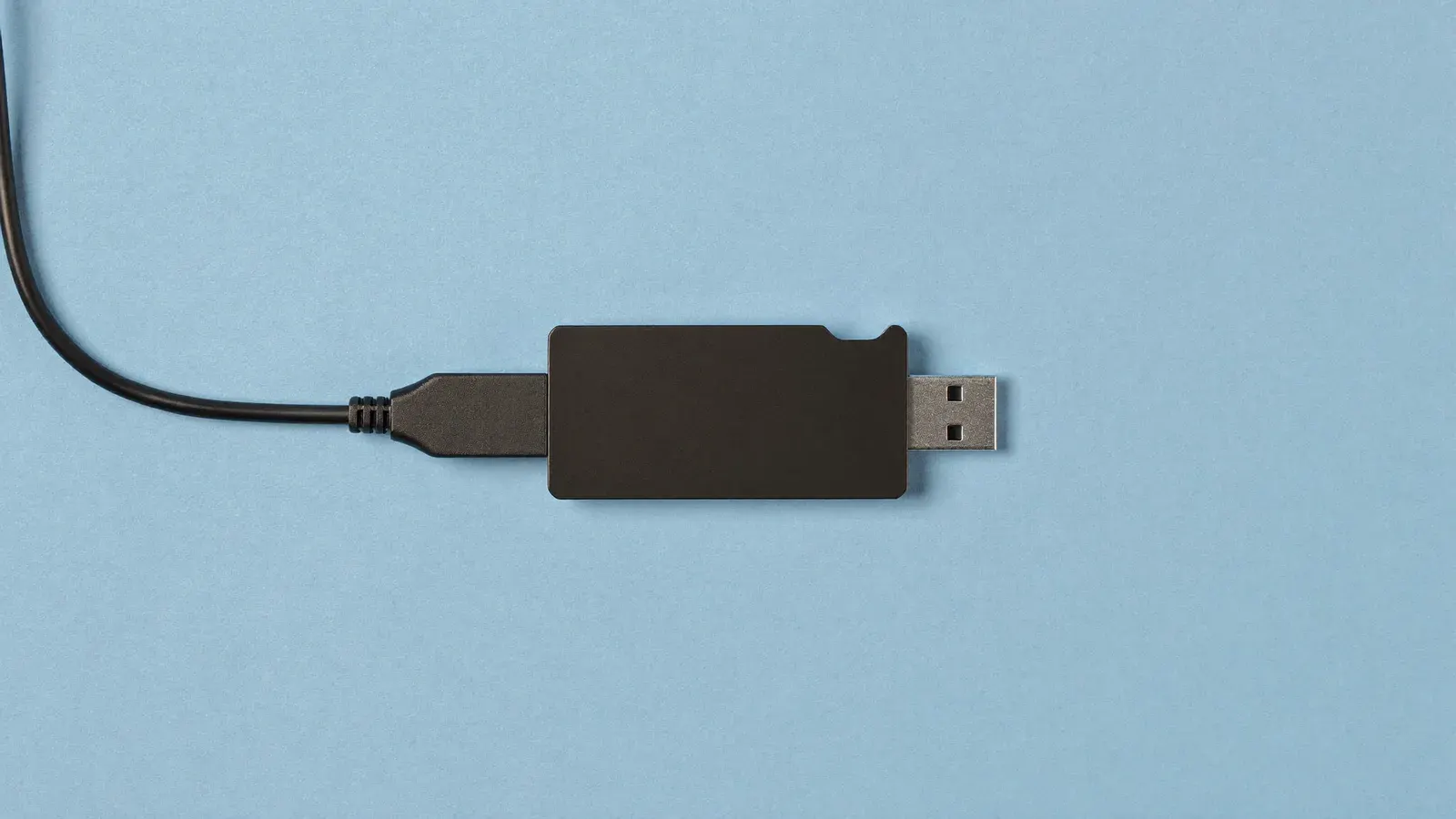






An external USB-C capture card that records HDMI at up to 4K60.
Typical price
$130 to $170

Why we pick it
- Typical price
- $130 to $170
- Works with




An external capture card that takes one HDMI source over USB-C and captures up to 4K at 60 frames, with HDR10 and a 3.5 mm audio input for a mic or headset. Pick it over a Cam Link 4K stick when you want 4K at 60 frames from your camera; for 1080p streams the stick costs less.
Good for
- Recording 4K listing videos
- Cropping into a 4K frame live
Not for
- Plain 1080p streams
- Phone-only shows
Our approved alternative for the same job: Elgato Cam Link 4K
The guide
Each step in the order you'll need it.
One camera, captured at 4K60
You stream or record one HDMI camera on a computer and want more than the 4K at 30 frames a Cam Link 4K stick takes. This card captures up to 4K at 60, 1440p at 120 or 1080p at 240.
It suits sellers who record listing videos or crop into a 4K frame during a show. For a plain 1080p live stream, the cheaper stick does the job.
Kit for this step
USB-C, HDR10 and an audio input
The card connects over USB 3.0 Type C and takes one HDMI input. HDR10 capture with tone mapping runs on Windows.
A 3.5 mm analog input mixes a mic or headset into the capture, so your commentary mic runs on the same cable as the picture.
Wiring a camera to the card
Run the camera's HDMI output into the card and the USB-C cable into a USB 3 port on the computer. Turn off on-screen info on the camera's HDMI output and disable auto power-off.
Set the camera to the frame rate you capture at, add the card as a video source in your streaming software, and run the camera on a dummy battery for long shows.
A Cam Link 4K stick or a webcam instead
A 4K USB capture stick takes the same camera at 1080p60 or 4K30 for less, and plugs straight into a laptop port. Choose it for most live shows.
If you haven't bought a camera yet, a 4K USB webcam needs no capture hardware at all.
Kit for this step
$130 to $170 for 4K60
At $130 to $170 it costs well above a Cam Link 4K stick. The extra gets you 4K at 60 frames and the audio input, so pay it only if you use them.
Leave air around the card on your desk, and use a short HDMI cable so the cable's weight doesn't pull on the camera's port.
Common mistakes
Each one costs you money or reviews, and each has a fix.
- Use a USB 3 port. On USB 2 the card can't carry a 4K feed.
- Turn off the camera's on-screen display, or its icons show up on your stream.
- Power the camera from a wall outlet with a dummy battery for long shows.
- Buy it only if you need 4K60. For a 1080p stream, a Cam Link 4K stick does the same job for less.
Ranked in
Where it places in our rankings, and the reason.

Questions
Straight answers to what sellers ask about this.
Does the 4K S work with a camera?
Yes, with any camera that sends a clean HDMI output. Turn off on-screen info in the camera's HDMI settings.
Is it better than a Cam Link 4K?
It captures 4K at 60 frames, the stick 4K at 30. For a 1080p live stream they give the same picture.
Can I plug a mic into it?
Yes. The 3.5 mm analog input adds a mic or headset to the capture.
Does it work on a laptop?
It needs a USB 3 port. HDR capture with tone mapping runs on Windows.
Alternatives
Other picks for the same job, cheaper and pricier.
Elgato Cam Link 4K
A USB stick with an HDMI port that makes a mirrorless camera or camcorder show up as a webcam in streaming software. It takes up to 4K at 30 frames or 1080p at 60, from a USB 3 port. You need it to stream a real camera through a computer; a phone or USB webcam plugs straight in without one.
Typical price$80 to $130
See on Amazon